AI & Human Authenticity
How to Detect a Deepfake Video Call: Signs to Watch For
HAR Editorial Team
A video call feels like proof. You see a face, you hear a voice, you assume the person on the other end is real. But scammers now run live face-swap and voice-clone tools during calls, and learning ho...
How to Detect a Deepfake Video Call: Signs to Watch For
A video call feels like proof. You see a face, you hear a voice, you assume the person on the other end is real. But scammers now run live face-swap and voice-clone tools during calls, and learning how to detect a deepfake video call has become a basic safety skill, not a paranoid one. If someone claiming to be your boss, your bank rep, or a relative asks for money or credentials over video, you need to know what to look for before you act.
The good news is that deepfake calls still leave traces. Lighting mismatches, unnatural blinking, lagging lip sync, and audio that sounds slightly flat or robotic are common tells once you know to watch for them. Asking someone to turn their head, cover part of their face, or respond to an unscripted question often breaks the illusion in seconds.
This guide walks through the specific visual and audio red flags to check during a suspicious call, plus quick verification tactics you can use on the spot. It also touches on why human authenticity matters in the age of AI, something the Human Authenticity Registry was built around, as synthetic identities get harder to spot every year.
Why deepfake video calls are becoming a real threat
Five years ago, faking a live video call required a Hollywood budget and a rendering farm. Today, a scammer can run a real-time face-swap tool on a laptop with a decent graphics card and clone a voice from a 30-second audio clip pulled off a voicemail or a social media video. The barrier to entry has collapsed, and the tools keep getting better at hiding their own seams. That shift is why video call scams have moved from theoretical to routine in the span of a few years.
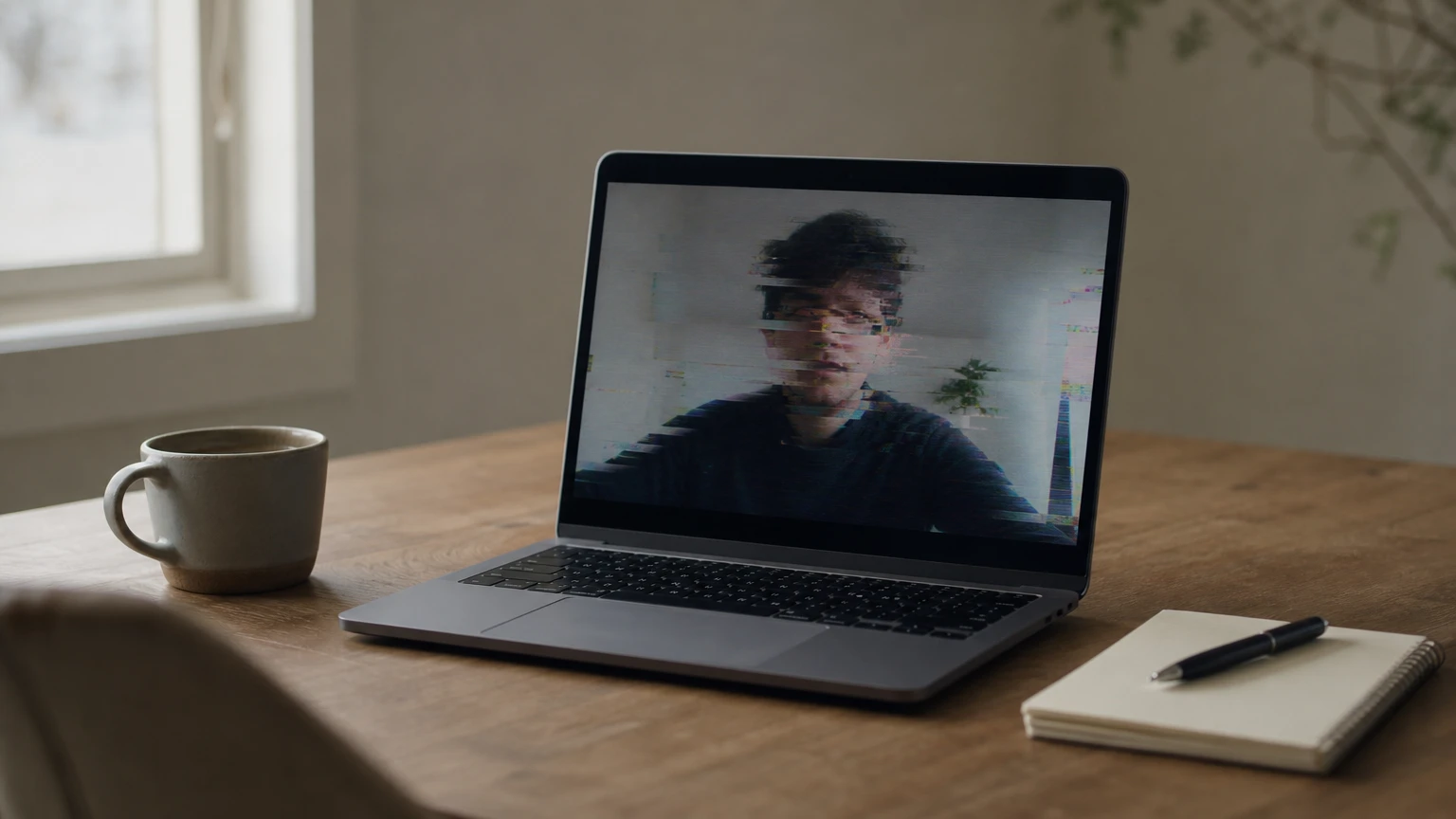
Corporate fraud cases already show what's at stake. In one widely reported 2024 incident, a finance employee at a multinational firm wired $25 million after joining a video call where every other "participant," including the company's CFO, was an AI-generated deepfake. No hacking was involved. The employee simply trusted what he saw and heard on screen. Cases like this get attention because of the dollar amount, but the same mechanics work on individuals: a cloned voice pretending to be a grandchild in trouble, a fake recruiter running a video interview to harvest personal data, or a spoofed executive asking an assistant to approve a wire transfer.
If you can be convinced by a face and a voice alone, you can be scammed by a deepfake.
Why these calls succeed
Live deepfake calls exploit a simple habit: people extend more trust to video than to text or a phone call, because video feels harder to fake. That assumption is now outdated. Scammers also pick moments of urgency, a payment deadline, a family emergency, a compliance request, so the target doesn't pause to scrutinize the image quality or the way the mouth moves. Speed and pressure do a lot of the deepfake's work for it.
The technology gap moving faster than awareness
Noticing the trend matters because public awareness still lags behind the tools available to attackers. A quick look at how the barrier has shifted:
Factor | 2019 | 2026 |
|---|---|---|
Voice sample needed to clone a voice | Several minutes | Under 30 seconds |
Hardware required for real-time face-swap | Specialized rendering rig | Consumer laptop or phone |
Cost to access deepfake tools | Thousands of dollars, custom-built | Free to low-cost apps and open-source models |
Detection awareness among general public | Minimal | Growing, but still low |
Organizations tracking fraud trends, including the Federal Trade Commission, have flagged AI-assisted impersonation as a fast-growing category of reported scams, and law enforcement agencies expect the volume to keep climbing as the tools become easier to run on ordinary hardware. You can read the FTC's consumer guidance on AI voice cloning scams directly on ftc.gov.
Spotting a deepfake mid-call isn't about having special software installed. It's about training your eyes and ears to catch inconsistencies that even good synthetic media still struggles to hide, and knowing a few quick tests you can run without tipping off the person on the other end. The next four steps walk through exactly that, starting with what to look for on screen.
Step 1. Watch for visual red flags on screen
Start with the edges of the face, because that's where live face-swap software still struggles most. Watch the border where the jaw meets the neck, or where hair meets a hood or collar. Real-time deepfakes often show a faint blur, a flicker, or a warping ripple in these transition zones, especially when the person turns their head or moves close to a light source. If the caller stays perfectly still and centered in frame the entire call, treat that as a warning sign rather than good camera etiquette.
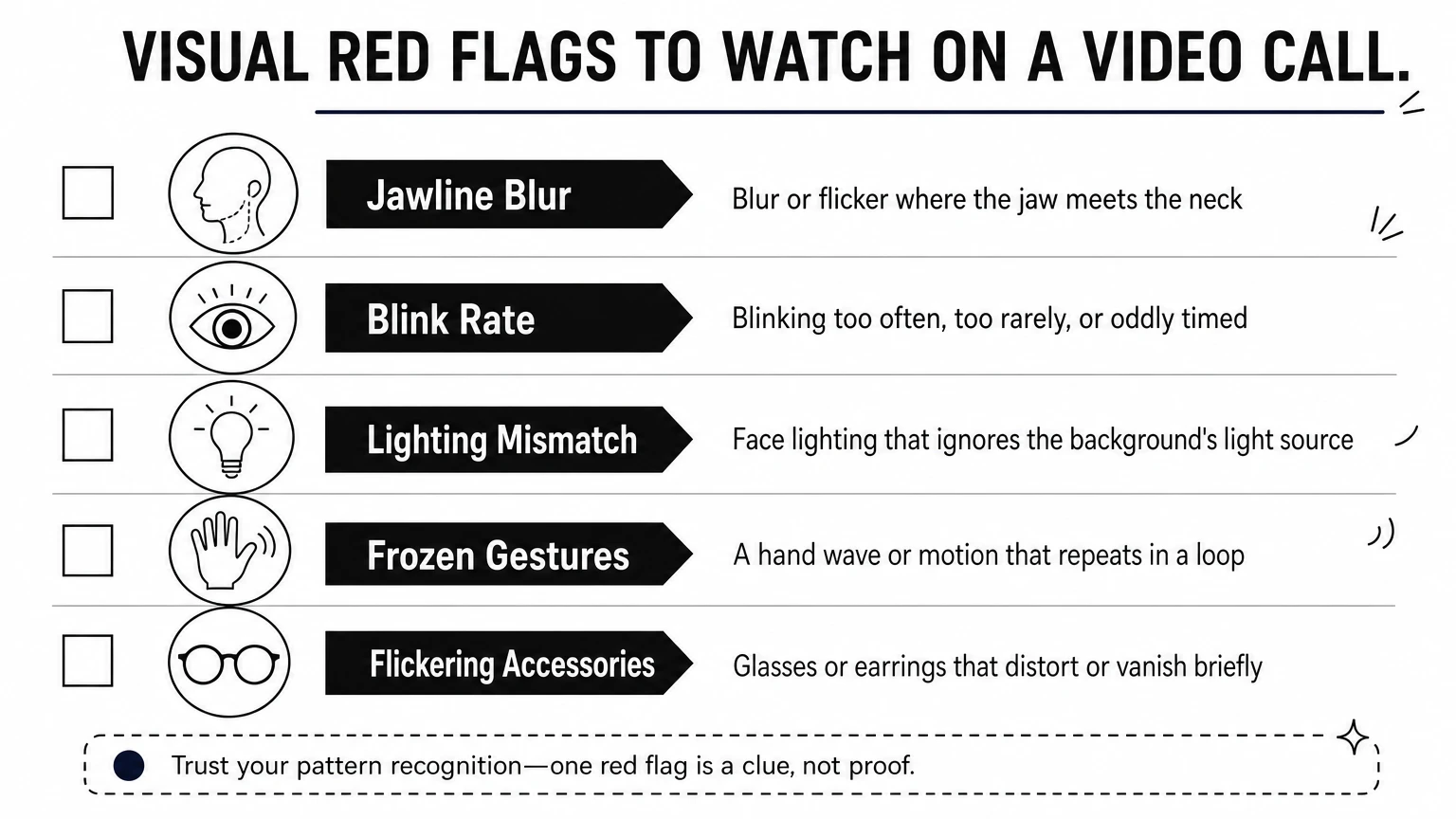
A face that never quite matches its own edges is the clearest sign you're not looking at a real person.
Blinking gives away more than most people expect. Early deepfake models trained on photos rarely blinked at all, and while today's tools have improved, unnatural blink rate, blinking that's too fast, too rare, or slightly out of sync with head movement, still shows up under scrutiny. Pair that with the eyes: look for a flat, glassy quality, or reflections that don't match the room's actual light sources.
Lighting mismatches are another giveaway you can catch without any special tools. Check whether the light on the person's face moves and shifts the same way the light in their background does. A synthetic overlay often keeps the face lit at a constant angle even as the person supposedly moves through a room with changing shadows.
Run through this checklist during any call that feels off:
Jawline and hairline blur when the head turns
Blink rate that seems too regular, too rare, or oddly timed
Lighting direction on the face that doesn't match the background
Frozen or repetitive gestures, like a hand wave that loops
Glasses or earrings that flicker, distort, or disappear briefly
Test connections can also mask these tells. Ask the caller to move closer to a window or turn on an overhead light. Genuine footage adjusts naturally to new lighting within a frame or two. A deepfake overlay often lags behind, or fails to update the shading on the face at all, which is exactly the kind of gap that separates a live person from a rendered one.
Step 2. Listen for audio and lip-sync mismatches
Sound often gives away a fake before the picture does, because voice clone models still struggle to reproduce natural breathing, micro-pauses, and the small vocal fry that real speech has. Listen for a tone that stays weirdly flat regardless of what's being said, or emotion that sounds pasted on rather than felt. If someone claims urgency but their voice never rises or cracks, that mismatch between words and delivery is worth noticing.
A voice with no breath in it is rarely a human voice.
Catch the lip-sync gap
Watch the mouth against the words, not just the face as a whole. Real-time deepfake overlays render lip movement a fraction of a second behind or ahead of the audio track, and that gap tends to widen on fast speech or sharp consonants like "p," "b," and "t." Focus on a single sentence and count whether the mouth shape actually matches the sound coming out of the speaker. Genuine video keeps sync tight even when the connection stutters; a synthetic overlay often keeps the audio smooth while the mouth lags, since the two are generated by separate systems stitched together.
Listen for other audio patterns
Question also whether the background sound matches the setting the person claims to be in. A voice clone piped through a clean audio feed while the caller says they're in a busy office, with no ambient noise at all, is a mismatch worth flagging. Run through this list on any call that feels off:
Flat or robotic tone that doesn't shift with the conversation
Lip-sync lag, especially on fast or sharp words
Missing background noise that contradicts the claimed location
Odd word emphasis or unnatural pacing mid-sentence
Audio that cuts cleanly with no breath sounds between phrases
Verify these details early, because scammers rely on the call moving fast enough that nobody stops to listen closely.
Step 3. Challenge the caller with quick live tests
Once you've clocked a few visual or audio red flags, stop watching passively and start testing. Live face-swap models track a face frame by frame, and they handle small, predictable movements well. What trips them up is anything sudden, unscripted, or physically awkward, the kind of thing a real person does without thinking but a rendering pipeline has never seen in training. Asking for one of these moves takes five seconds and tells you more than a minute of silent observation.

The fastest way to unmask a deepfake is to ask for a move it was never trained to fake.
Ask for movement the model hasn't rehearsed
Request something physical and specific rather than a vague "can you move around." A quick verification test works best when it's simple to do but hard for an overlay to render cleanly. Try one of these on any call that feels off:
Ask them to turn their head fully to one side, then look straight into the camera again
Have them wave a hand quickly in front of their face
Ask them to hold up a specific number of fingers, chosen on the spot
Request they tilt their head down, then look up sharply
Ask them to bite their lip or stick out their tongue briefly
Watch the edges and mouth closely during the movement itself, since that's where a synthetic overlay is most likely to blur, stutter, or briefly lose the face entirely.
Use verbal triggers that break the script
Beyond physical moves, throw in a question that has no scripted answer. A cloned voice paired with a scripted response engine can handle rehearsed small talk, but it stumbles on unscripted verification questions tied to shared, private context.
Genuine callers answer without hesitation. A deepfake operator often stalls, repeats the question, or gives a generic non-answer while the model catches up. That pause is the tell you're looking for.
Step 4. Verify identity through a separate channel
Visual and audio tests catch a lot, but they're not foolproof against a well-tuned deepfake, so treat out-of-band verification as your final check rather than an optional extra. The principle is simple: never confirm identity using the same channel the suspicious request came through. If someone on a video call asks you to wire money or share a password, hang up and reach that person through a different method entirely, one you initiated yourself using contact info you already trust.
If the request and the verification happen on the same channel, you haven't actually verified anything.
Build a verification habit before you need it
Pause the call and text or call the person's known number, the one saved in your phone, not a number given to you moments earlier by the caller. Send a message through a separate, already-established platform, like a company Slack channel or a family group chat, and ask them to confirm the request in writing. Call the organization's official line, found on their real website or a past bill, rather than any number provided during the suspicious call itself. These steps take two or three minutes and cost you nothing if the call turns out to be genuine.
Set up a shared code word in advance
Families and small teams benefit from agreeing on a private phrase ahead of time, something no scammer scraping social media could guess. Use it like this:
This single habit defeats most cloned-voice scams outright, since attackers can fake a face and a voice but rarely guess a private word shared only between real people.
Organizations with more formal identity needs are also starting to look at standing proof of humanity rather than one-off checks. That's the gap the Human Authenticity Registry addresses: a verified HAR Identity gives people and teams a way to confirm someone is a real, consented, unaltered human before a call ever starts, instead of scrambling to prove it mid-conversation.
Staying ahead of AI impersonators
Deepfake video calls will keep improving, but the fundamentals of catching them won't change much: watch the edges, listen for flat audio, ask for an unscripted move, and verify through a channel the caller didn't choose. Practicing these checks now, before you're pressured by an urgent request, is what makes them second nature when you actually need them.
None of this requires special software or technical training. It requires a habit of pausing before you trust a face and a voice on a screen, and a willingness to ask a caller to prove they're real. That single pause has already stopped scams that would have otherwise cost people their savings or their company's payroll.
As synthetic media gets harder to spot with the eye alone, proof of genuine identity matters more, not less. If you want a standing way to show people you're a real, consented human before a call ever starts, see how proof of humanity works and get your HAR Identity.